[ built for contractors ]
Run every job from estimate to paid.
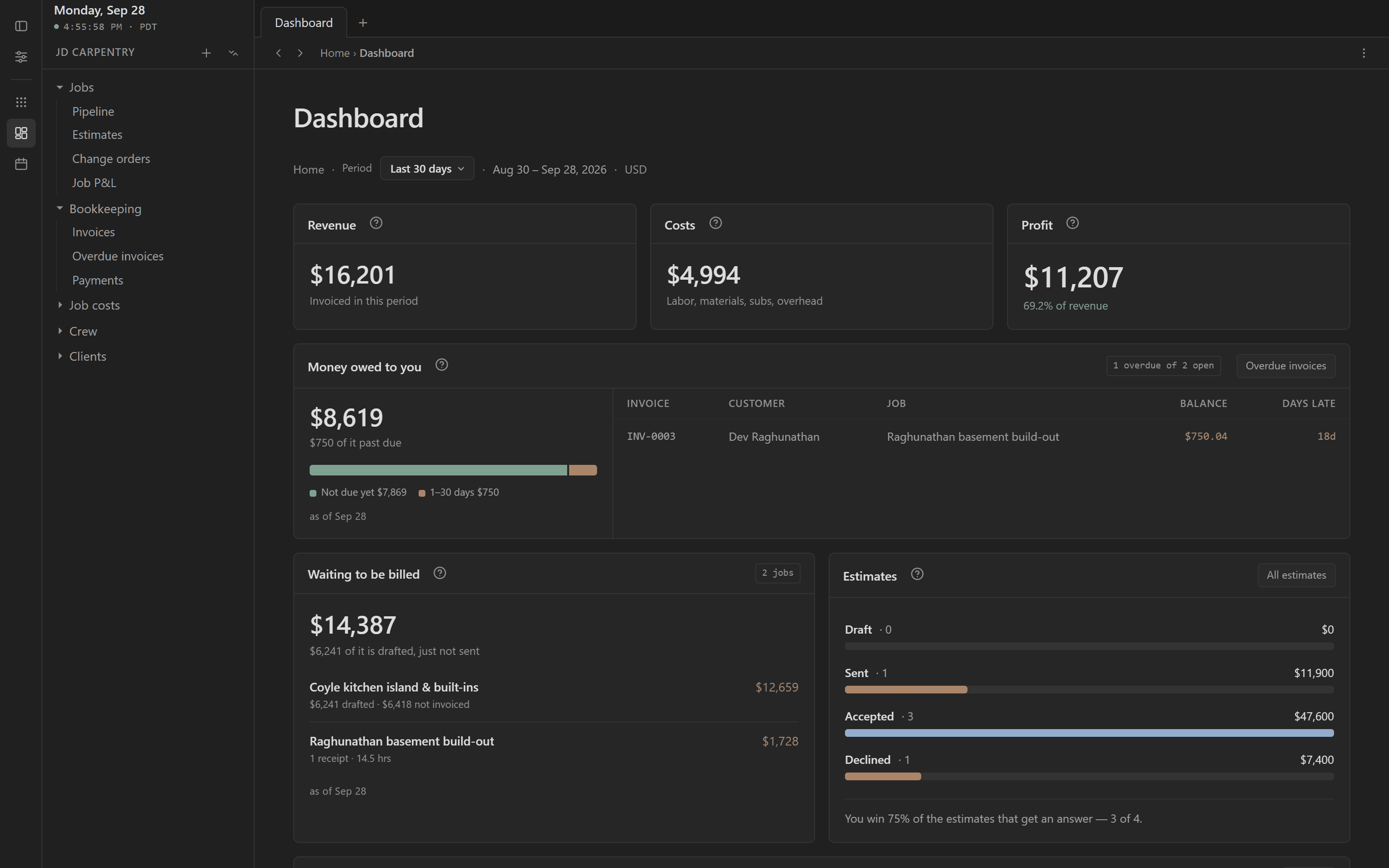
Log the work as it happens: receipts, crew hours, invoices. Statibly does the math, so you can see how every job is really going.
Free while we build · then $50/month for life · no credit card
Not ready to sign up? Look around a sample workspace first ↓
[ 01 · winning work ]
Send estimates clients sign from their phone.
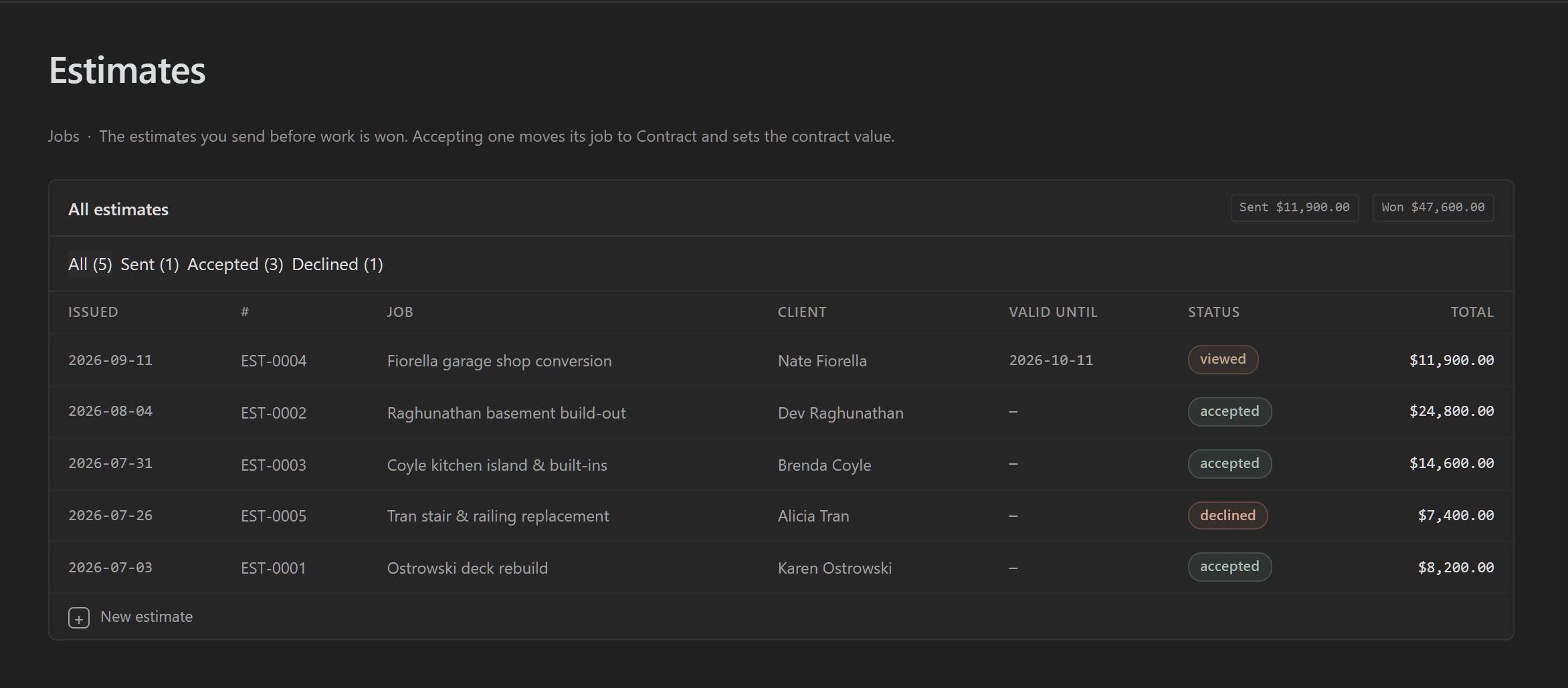
Build a clean estimate with your logo and send it as a link. Your client opens it on their phone, types their name, and it’s accepted. The job moves to Contract with the price locked in.
- You see when they open it: the estimate flips to Viewed.
- Gone quiet? Send a follow-up in one tap.
- Expired? Give it a new date and the same link works again.
[ 02 · keeping track ]
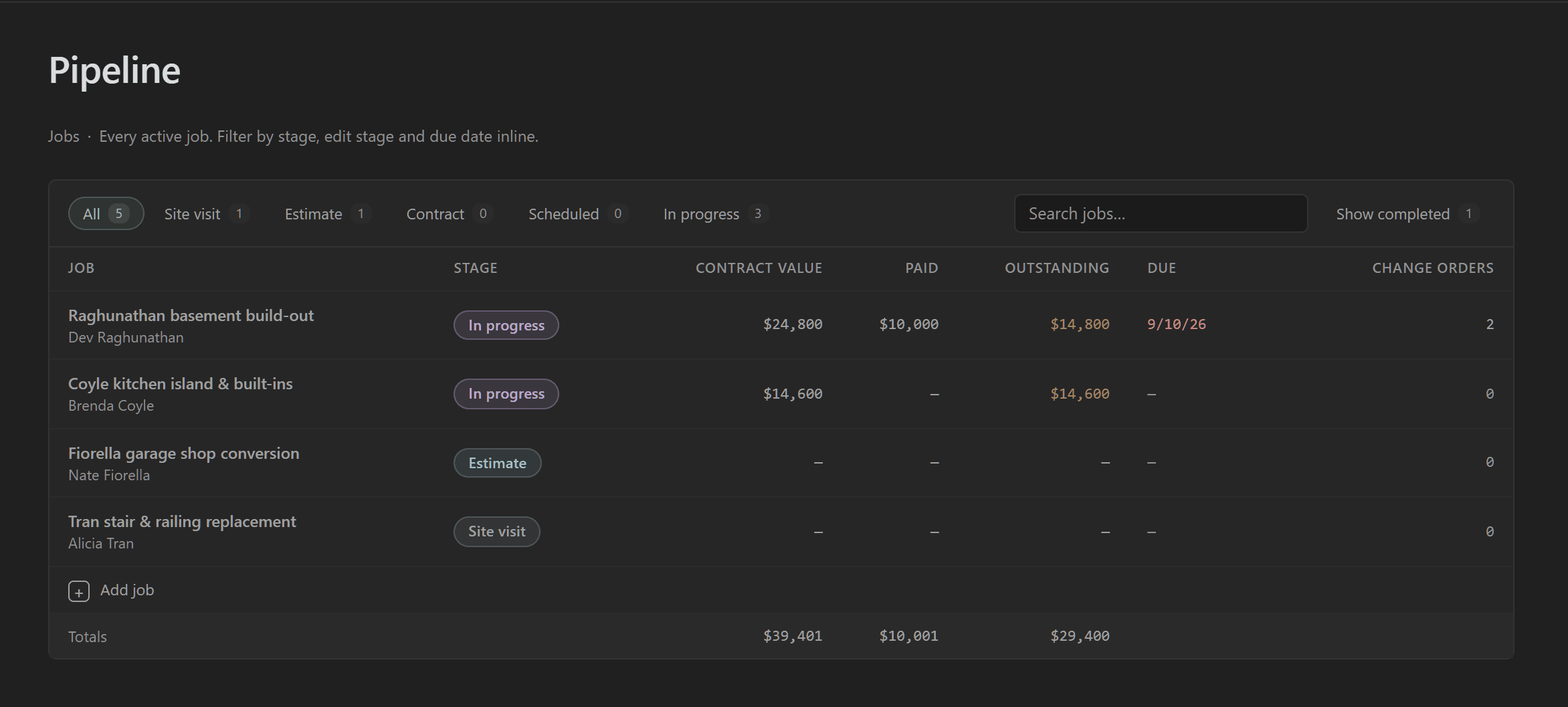
Every job in one place, from lead to done.
Leads, estimates out, signed contracts, jobs in progress and closed out, all on one board. Open any job and its estimate, costs, crew hours, change orders, invoices and profit are right there.
- Change orders: priced, approved, and flagged until they’re billed.
- Schedule your crew by the week.
- Same account on your phone and at the desk.
[ 03 · costs ]
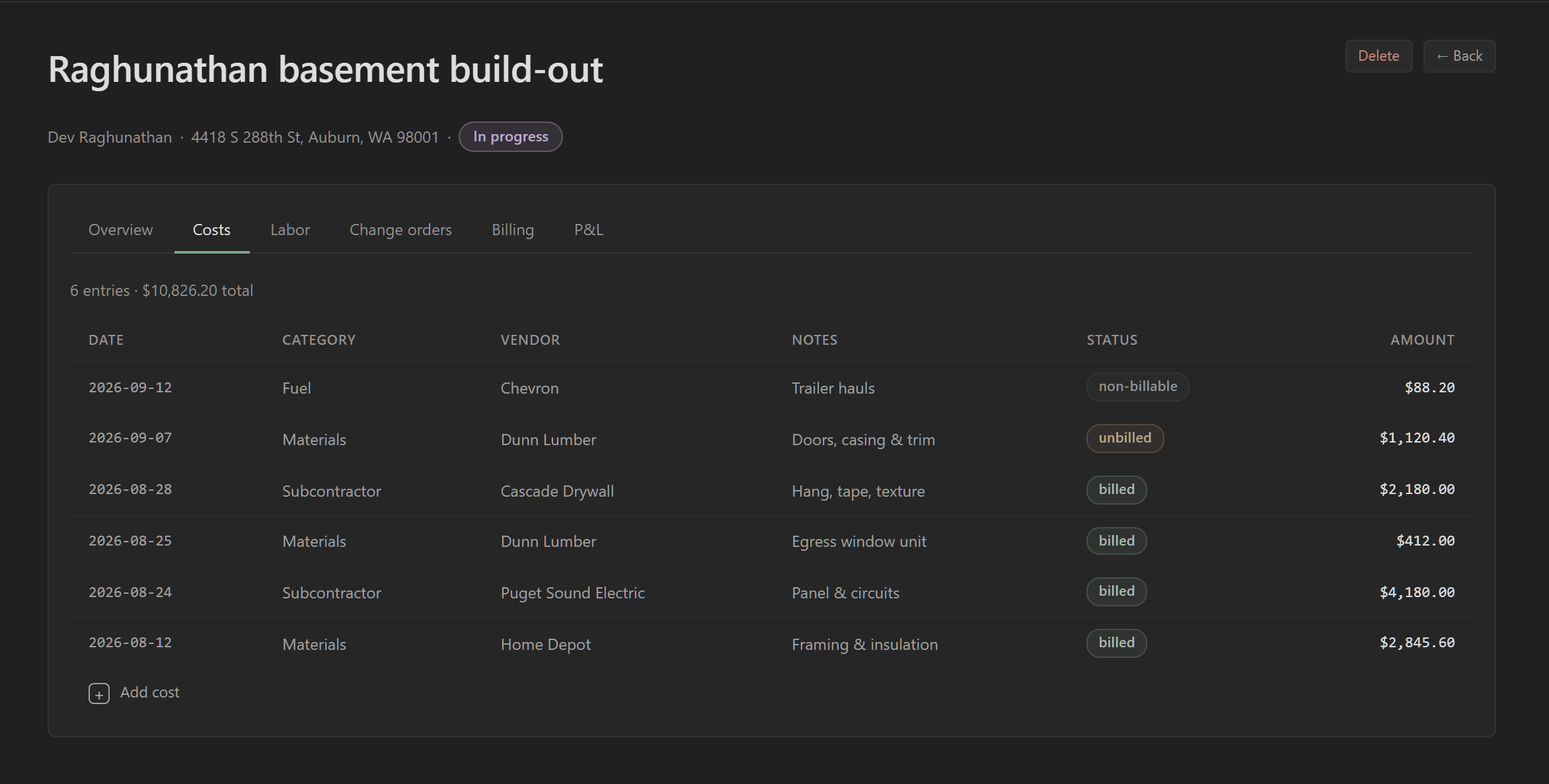
Know what a job costs while you’re still building it.
Snap a receipt from the truck, log your crew’s hours, add the sub’s bill. Each one lands on the job the day it happens, against the contract, so a job going over shows up in week three, not at closeout.
- Materials, subs, equipment, permits and fuel, each on the job.
- Crew hours at what they really cost you: wages plus taxes and burden.
- Receipt photos attached to the entry, findable later.
[ 04 · billing ]
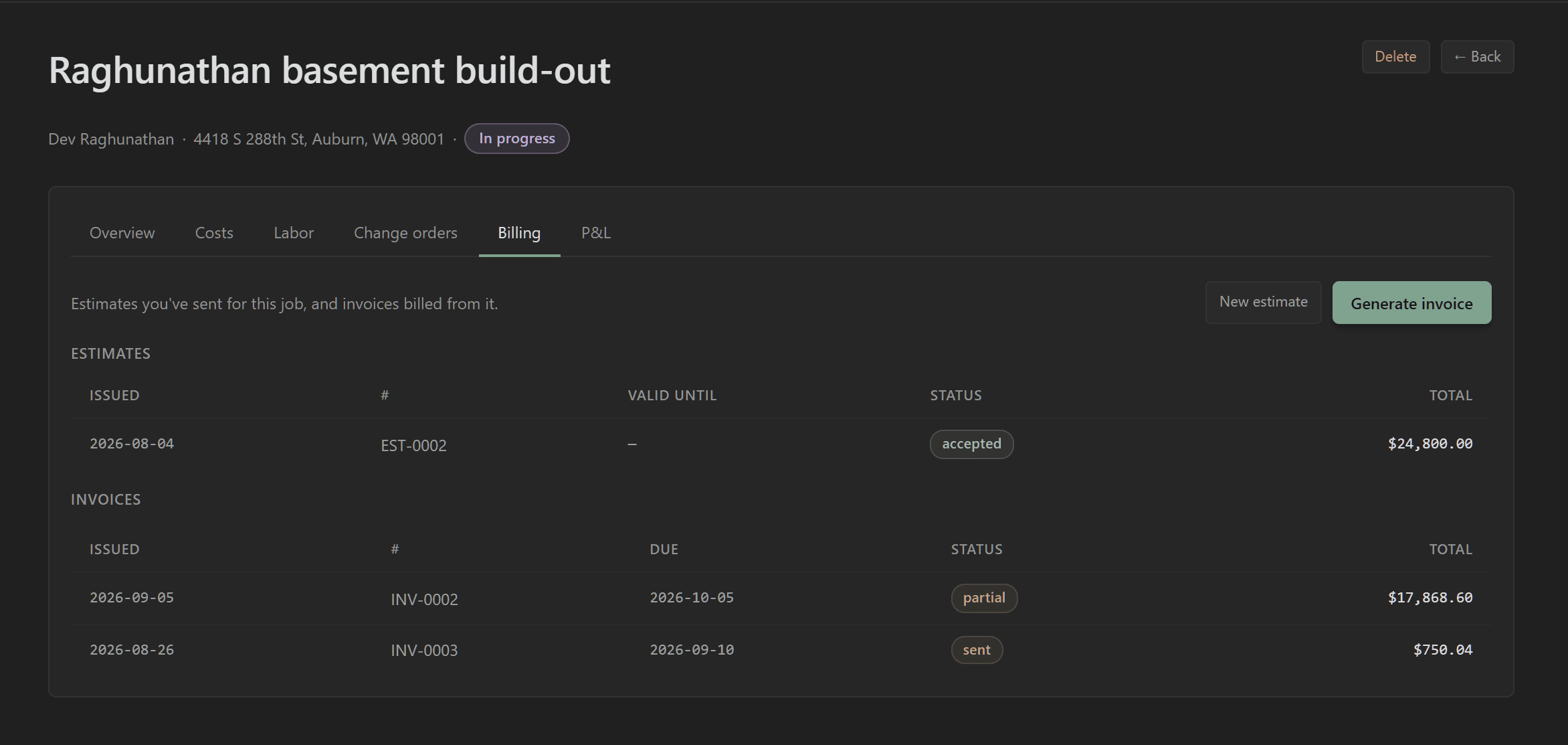
Bill deposits and draws right off the job.
Bill a deposit, a progress draw, or your costs plus markup, straight from the job, with sales tax worked out. Statibly knows what’s been billed and what’s left, so you never re-type a number.
- Deposits taken up front come off later invoices.
- Approved change orders go on the next invoice.
- Your logo, business details and payment instructions on every one.
[ 05 · getting paid ]
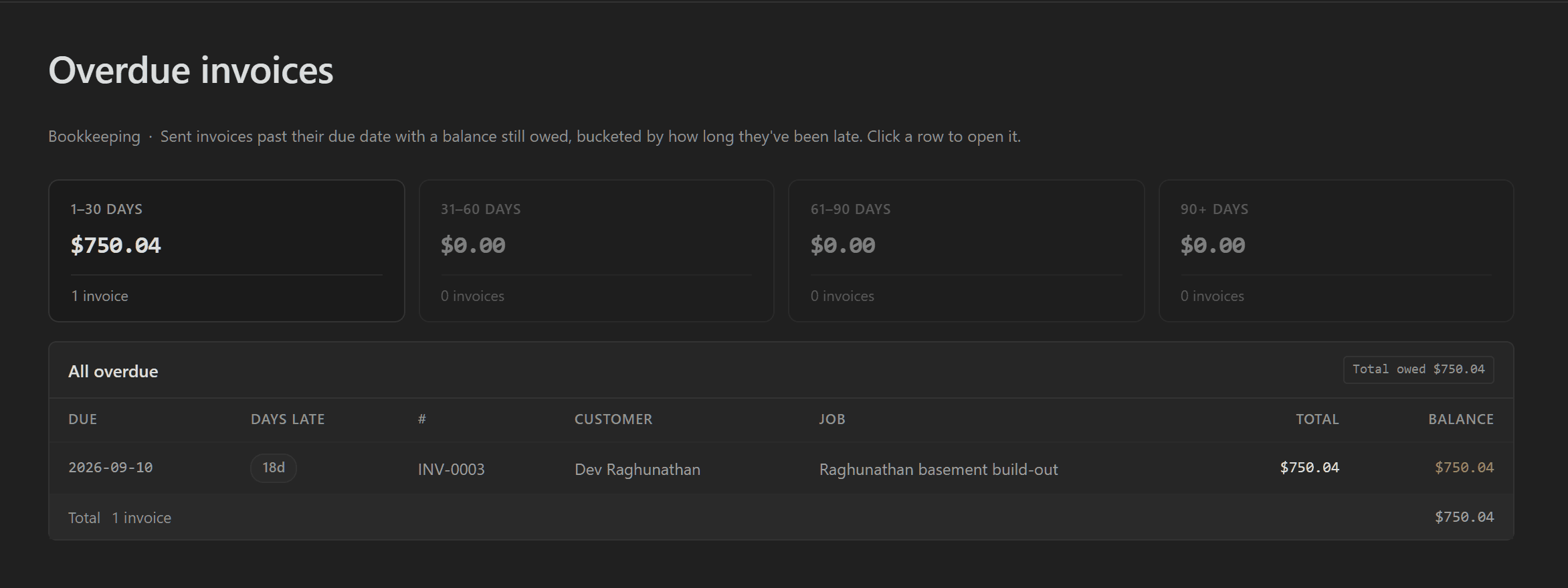
Get paid without chasing.
Every invoice goes out with a Pay button. Clients pay by bank transfer or card through your own Stripe account, and Statibly marks the invoice paid when the money clears. Anyone late shows up on one list, oldest first.
- Bank transfer costs you at most $5. Card is 2.9% + 30¢, and you can turn it off.
- Statibly takes $0 and never holds your money.
- You see when a client opens the invoice.
[ 06 · the payoff ]
See what you actually made on every job.
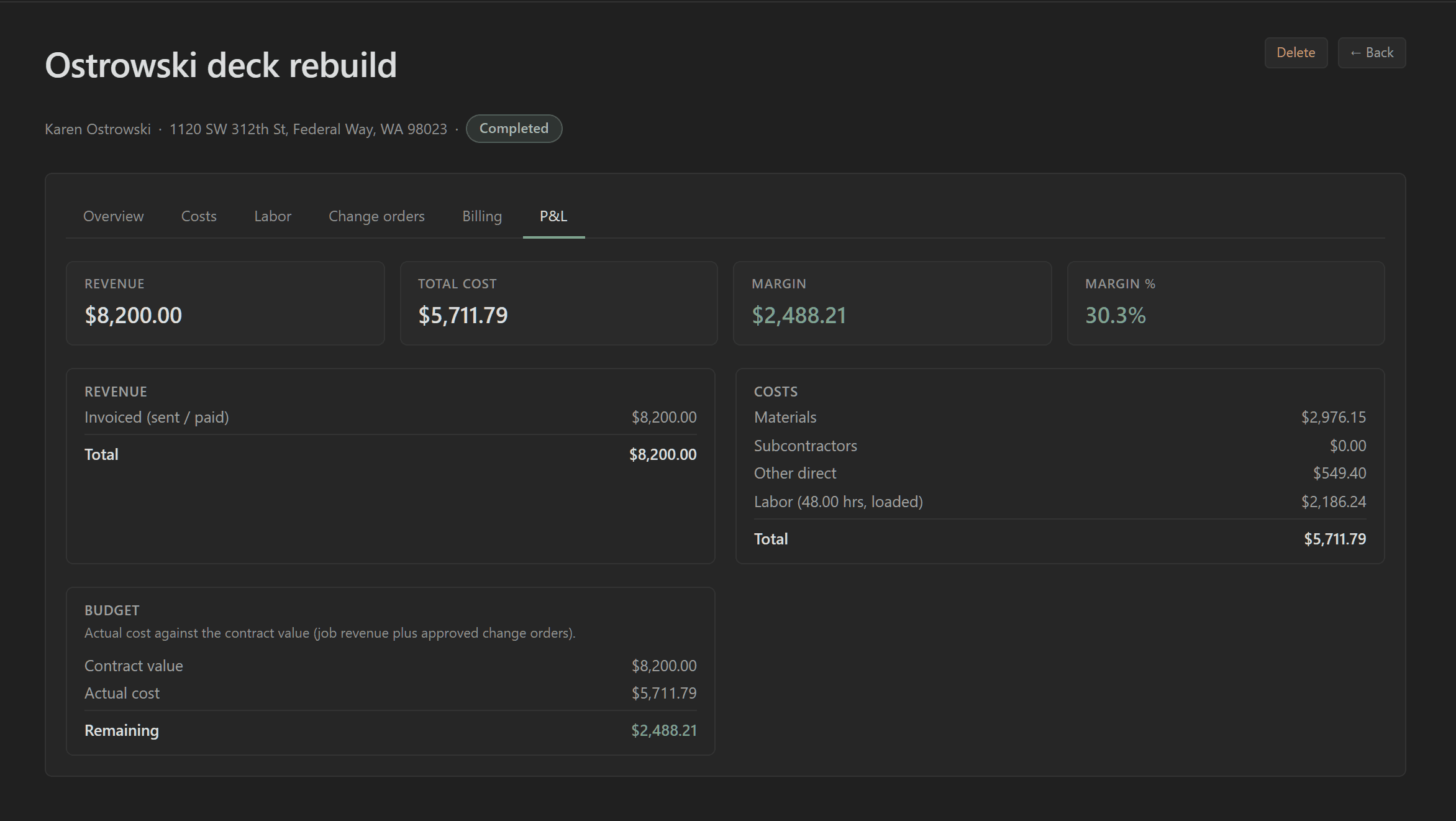
When the last payment lands, the job’s profit is already worked out: what you billed, minus materials, labor, subs and fees.
- Payment fees count as a cost, so the margin is the real one.
- Labor at its loaded cost, hours shown.
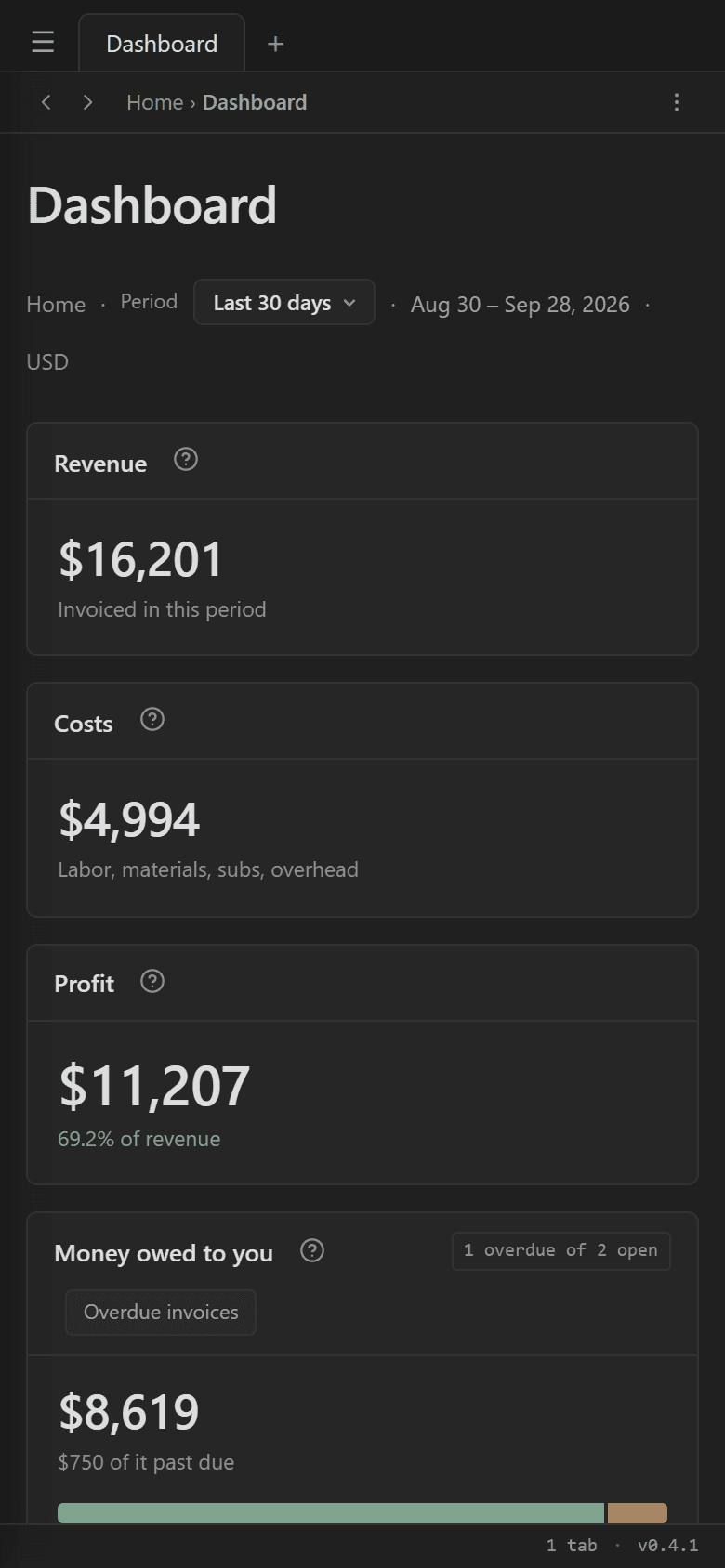
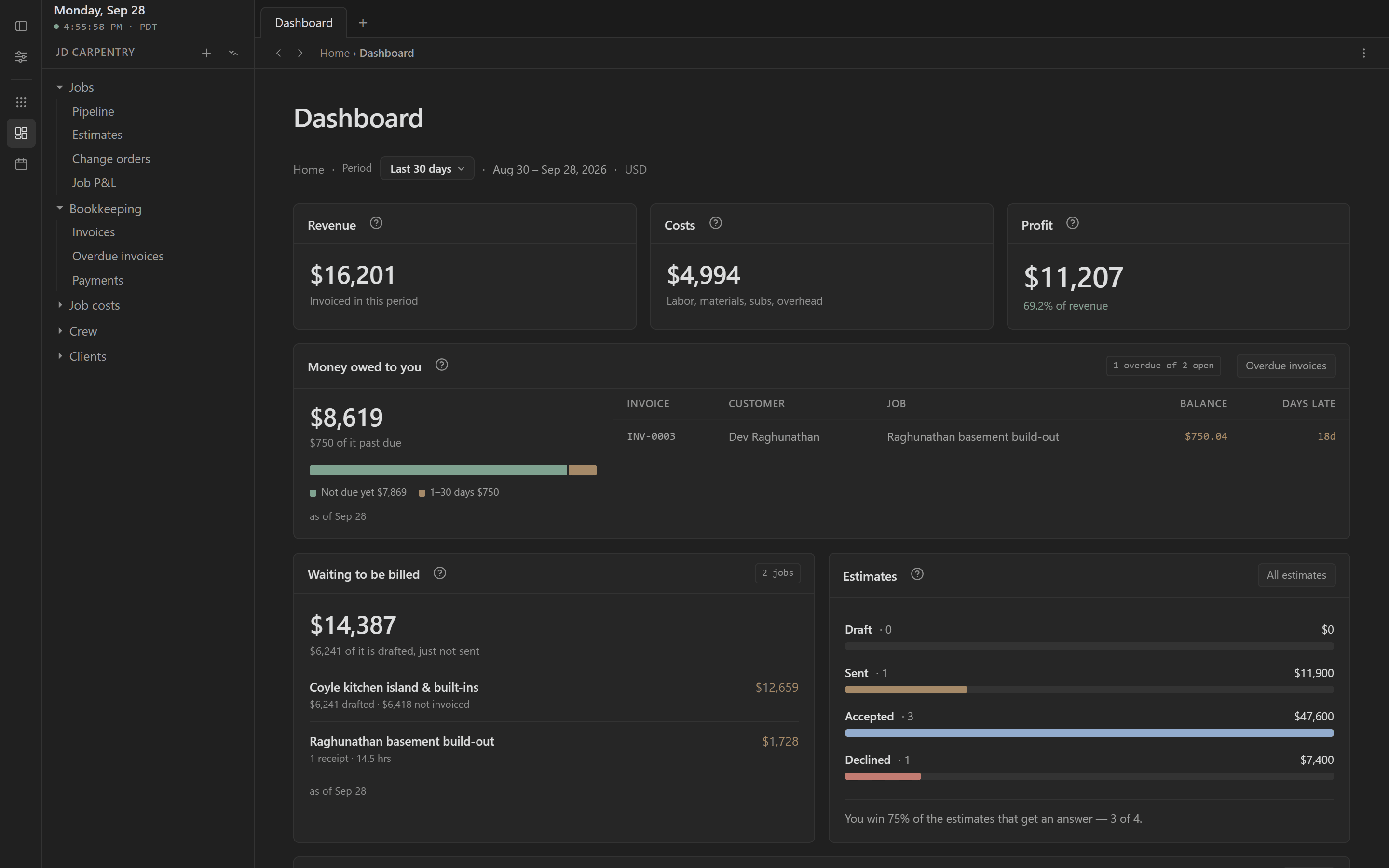
- The dashboard rolls every job up: this month’s profit and who owes you.
[ grid ]
Ask about any job. Get the numbers back.
Grid answers from your own jobs, costs and invoices, and shows the numbers it used. This is the real Grid page, replaying the answer Grid gave about the sample workspace, at the speed it gave it.
- Plain questions, like you’d ask your bookkeeper.
- Answers built from your real jobs, never made-up numbers.
- On your phone or at the desk.
[ why switch ]
Six places to look, or one.
Most contractors run the business across a Word doc, a spreadsheet, a text thread and their bookkeeper’s inbox. Here’s where each part lives today, and where it lives in Statibly.
| The job | Where it lives today | In Statibly |
|---|---|---|
| Sending an estimate | A Word doc copied from the last one | A clean estimate with your logo, signed from a phone |
| Knowing job cost | A spreadsheet updated when you remember | Receipts, subs and crew hours land on the job as they happen |
| Billing a draw | Re-typing numbers into an invoice | A draw or cost-plus invoice straight off the job |
| Chasing payment | Scrolling email for who paid | A Pay button on every invoice, and one overdue list |
| Change orders | A text thread nobody can find | Approved, priced, and flagged until they’re billed |
| Knowing where you stand | Asking your bookkeeper and waiting | One dashboard, current as of your last entry |
[ pricing ]
Free while we build. Then $50 a month.
One price for every feature. No tiers, no seats, no add-ons. Founding workspaces keep $50 for as long as they stay.
Free while we build, no credit card. After launch, new workspaces pay $200/month.
- Estimates clients accept from their phone
- Jobs, schedule and change orders
- Costs, receipts and crew hours on every job
- Invoices, deposits, draws and overdue tracking
- Online payments by bank transfer or card
- Job P&L, the dashboard, and Grid
Put your first job in today.
About ten minutes from here. Nothing to install, nothing to migrate, no setup call.
Free while we build · no credit card
You’ll deal with Andrew, who builds Statibly. Founding requests get built first, and questions get a same-day answer from a person.
Do I need QuickBooks or a bank connection?
No. Statibly runs on its own, and everything comes from what you enter. Your bookkeeper keeps doing exactly what they do today.
Does it replace my accountant?
No, and it isn’t trying to. This is where the job side lives: estimates, costs, invoices and margin. Taxes and books stay with them.
How long until I’m actually using it?
About ten minutes to make an account and put your first job in. There’s nothing to migrate and no setup call to schedule.
Can I use it on my phone?
Yes, same account on both screens and nothing to install. Receipts, hours and change orders are built for the phone. Estimates and invoices are easier at a real screen.
How do my clients pay me?
From the invoice, by bank transfer or card, through your own Stripe account. The money goes to your bank. Statibly takes nothing and never holds it.
What if a job goes over?
You see it while there’s still time to do something: cost against contract value on every active job, worst first.
What if I want to leave?
Every invoice and estimate downloads as a PDF whenever you want, and there’s nothing to cancel while it’s free.
Why should I trust something this new?
Because you can click around the whole product before you sign up, and reach the person who built it. It’s free while we build, so the only thing you’re risking is the time.